How to Create Manga from a Story Prompt
An AI manga prompt works best when it describes a small, readable scene. This guide takes an original idea from a short story outline to a comic you can review and share in Manga Gen for iPhone and iPad.
Published October 21, 2026 · Based on Manga Gen's creation workflow. Screenshots are examples from the app's public App Store listing.
1. Plan one scene before a whole series
Begin with two characters, one location, and one change in the situation. A first episode does not need to explain an entire world. A character finding an impossible train ticket is easier to direct than a century-long war between twelve kingdoms.
Write down what the reader should understand by the end: who wants something, what blocks them, and what new question will bring them back. Keep those three things visible in your prompt.
2. Add your cast in Manga Gen
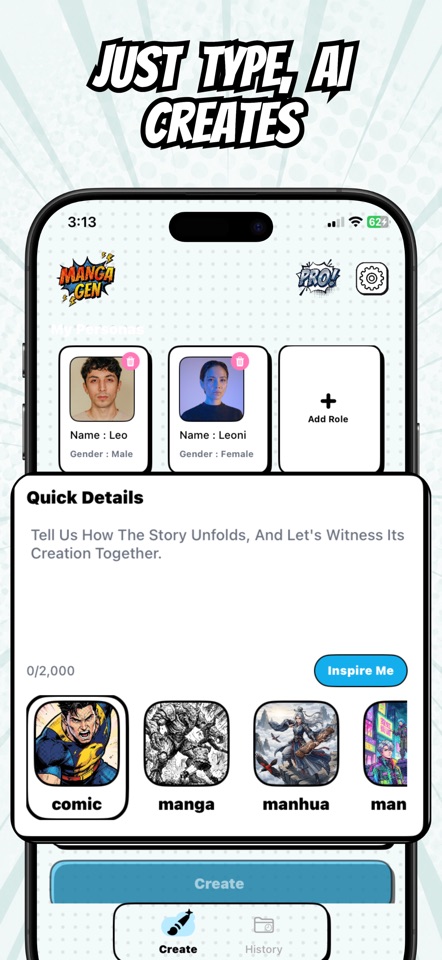
Use the persona cards on the creation screen to add the characters you want in the story. Give them distinct names and visual traits so that your written descriptions are easy to follow. If you use reference images, choose images you have permission to use.
3. Write a prompt with a clear beginning and ending
Include the setting, the important action, a short emotional change, and the final reveal. Short, direct sentences make it easier to spot contradictions before spending generation credits.
At a quiet mountain station after midnight, Mira, a young courier in a yellow raincoat, finds a ticket dated tomorrow. Her friend Ren, a station cleaner with round glasses, recognizes the destination: a town that disappeared years ago. Show Mira discovering the date, Ren explaining the danger, and the two watching an empty train arrive. End with a light turning on inside the last carriage. Keep the dialogue short and the mood mysterious.
4. Choose style, language, and page count
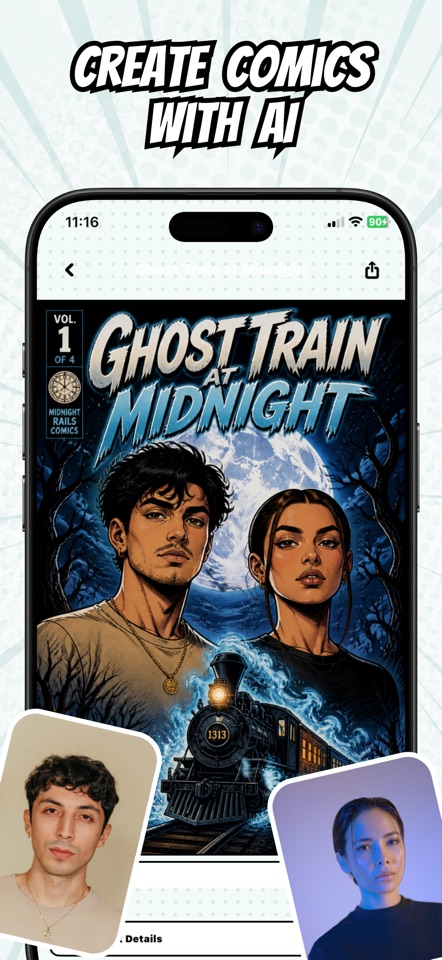
Choose the art style in the app rather than relying entirely on a style word in the prompt. Set the story language and choose a short page count for the first attempt. You can see whether the characters, pacing, and dialogue work before developing a longer episode.
A manga style can suit dramatic contrast and expressive faces. A comic style can suit bold action and color. Pick the direction that supports your scene rather than changing styles halfway through the same episode.
5. Review the generated pages
Read the result as a reader would. Check the order of events, whether the dialogue is understandable, and whether character appearances are consistent enough for the scene. AI images and lettering can contain mistakes, and the same prompt can produce different results.
| What you notice | What to change in the next prompt |
|---|---|
| Too much happens at once | Remove a location or subplot. Ask for one important action per story beat. |
| Characters are hard to tell apart | Repeat a small set of distinguishing traits, such as a coat color or a hairstyle. |
| Dialogue fills the page | Use shorter lines, fewer speakers, and more visual action. |
| The ending feels abrupt | State the final image or reveal explicitly in the prompt. |
Generation uses the app's credit system. Check the current cost and available balance before generating another version.
6. Save, export, and plan the next episode
Revisit a generated comic in your library. Use the reader and available page editing tools to review your work, then export a PDF or share the comic using the app's sharing options.
For a follow-up, restate the cast and the important ending from the previous episode. Describe the next small scene rather than assuming that a new prompt automatically remembers every detail of the earlier story.
What should you create next?
Use the manga prompt examples to try a mystery, a quiet slice-of-life scene, or an adventure. Adapt the names and setting to your own original characters.