How to Create Recurring Characters for an AI Manga
A good manga story needs characters the reader can distinguish and understand. Manga Gen lets you add personas to a comic and use those characters as context for AI generated pages. This guide shows how to plan a small cast and describe it clearly.
Published October 21, 2026 · The examples on this page are original writing prompts, not descriptions of the people or stories in the App Store screenshots.
Give each character a clear role
Before building a cast, answer three questions for each main character: What do they want in this scene? What gets in their way? What visible detail helps the reader recognize them? A name, one or two visual traits, and a distinct role are more helpful than a long biography.
| Character note | Example |
|---|---|
| Goal | Riku wants to return a book before the school closes. |
| Obstacle | A storm has washed out the path to the library. |
| Recognizable detail | Riku wears a red scarf and carries a paper map. |
Give the second character a different goal or trait. If both characters wear the same outfit and react in the same way, readers have fewer visual clues to tell them apart.
Add personas to your Manga Gen story
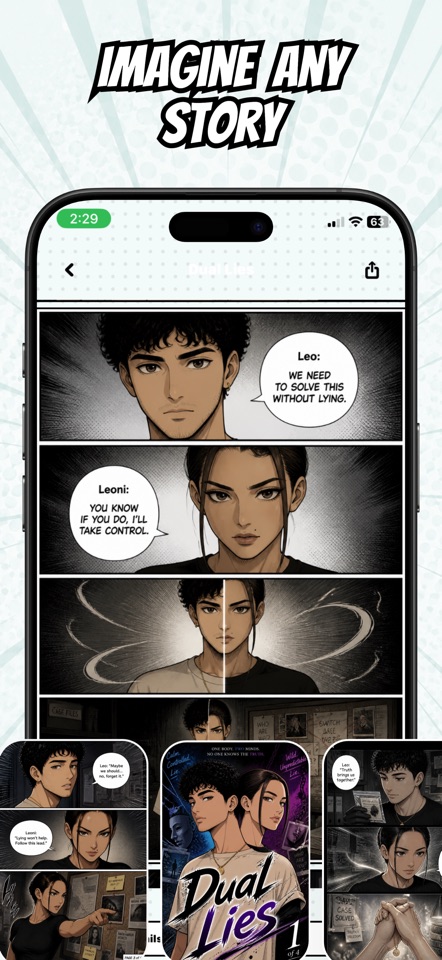
Use the persona cards on the creation screen to add characters to your cast. The app lets you create a persona with a name and optional character image, then include that persona when you generate a comic. Use an image that you have permission to use and that you want to include in the creation workflow.
Write prompts that make the cast easy to follow
Use each persona’s name in the prompt and pair it with a small number of consistent traits. Say who performs each action. Then focus on the change in the scene: what a character discovers, decides, or does next.
Riku, wearing his red scarf and carrying a folded paper map, reaches the flooded path to the library. His friend Aki, who has a yellow rain hat and a lantern, finds a narrow footbridge under the trees. Show Riku testing the map, Aki lighting the bridge, and the two deciding to cross together. End with a page from the missing book floating beside the bridge.
Build continuity from episode to episode
For a new episode, repeat the details that should carry through: names, visible features, relationships, and what happened at the end of the previous scene. Saved personas help provide character context, but a new prompt still needs the story details that matter for its next scene.
AI generated appearances can change between results, especially when the prompt changes the costume, lighting, age, or setting. Review the pages and adjust the prompt if a character becomes difficult to recognize. Avoid promising yourself perfect consistency from a single prompt.
Can Manga Gen make a standalone character sheet?
Manga Gen’s personas are designed to help you create comic stories. The app focuses on generating manga and comic pages from prompts with characters as part of the story. It is not a separate pose-sheet or avatar design tool.
Start with two or three characters, give each one a distinct visual cue, and let the story show their personalities through action. The manga creation guide covers the rest of the workflow, and the prompt examples can help you plan a first scene.