How to Continue an AI Manga Series into the Next Episode
A series works best as linked short episodes, not one giant prompt. This guide shows how to continue a Manga Gen story after you export or save the first comic.
Published November 7, 2026 · Manga Gen does not automatically remember every detail of an earlier episode. Your next prompt should carry the continuity you want.
How do I start the next episode from the last ending?
Write down three facts from episode one: who the main characters are, where the story left them, and what question remains. The next prompt should answer or complicate that question in one scene.
- Carry forward: names, one or two visual traits, relationship, and the final image from last time.
- Add now: one new obstacle or discovery.
- Leave for later: world history, new cast members, and multi-location travel.
What should a sequel prompt include?
Continue from the lit window above the bookstore alley. Nora in the green scarf and Kai with the lantern climb the narrow stairs. Show them reaching a locked office, finding the same handwriting on a desk calendar, and hearing footsteps in the hall. End with the calendar date matching tomorrow’s ticket. Keep the cast to Nora and Kai and use short dialogue.
How do I keep characters recognizable in later episodes?
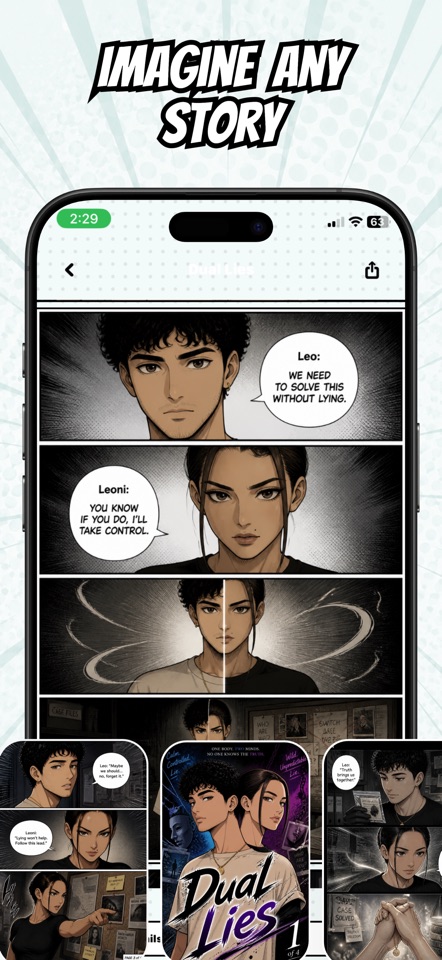
Reuse saved personas when you can, and repeat the same small set of visual cues in the prompt. AI appearances can still vary between generations, so review pages before you commit to a longer arc. The character guide covers persona setup in more detail.
When should I increase the page count?
Keep early sequels short until the cast and tone feel stable. After you like the pacing, increase page count for a denser episode. Generation uses credits, so check the balance shown in the app before creating another version.
Need fresh scene ideas? Browse the prompt examples, then adapt the ending of your current episode instead of starting a disconnected story.